Feature Spotlight

Boost efficiency

ClosingTrak helps teams move through more closings with less friction. Calendar Color Mode and built-in reporting provide immediate operational clarity, helping staff focus faster on the work that matters most.

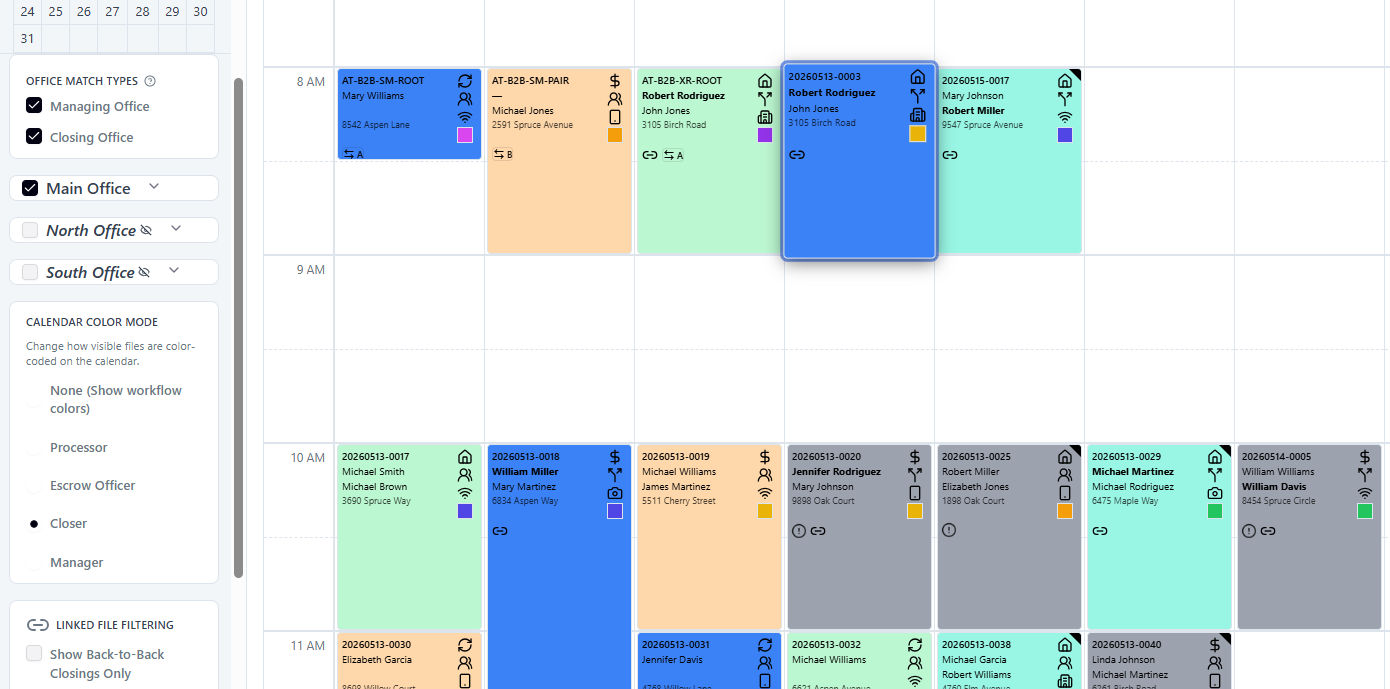
Calendar Color Mode set to Closer in ClosingTrak

Calendar Color Mode highlights the view your team uses most

With Closer mode selected, teams can scan ownership and workload patterns faster to prioritize the next best action.
Reporting that supports faster decisions

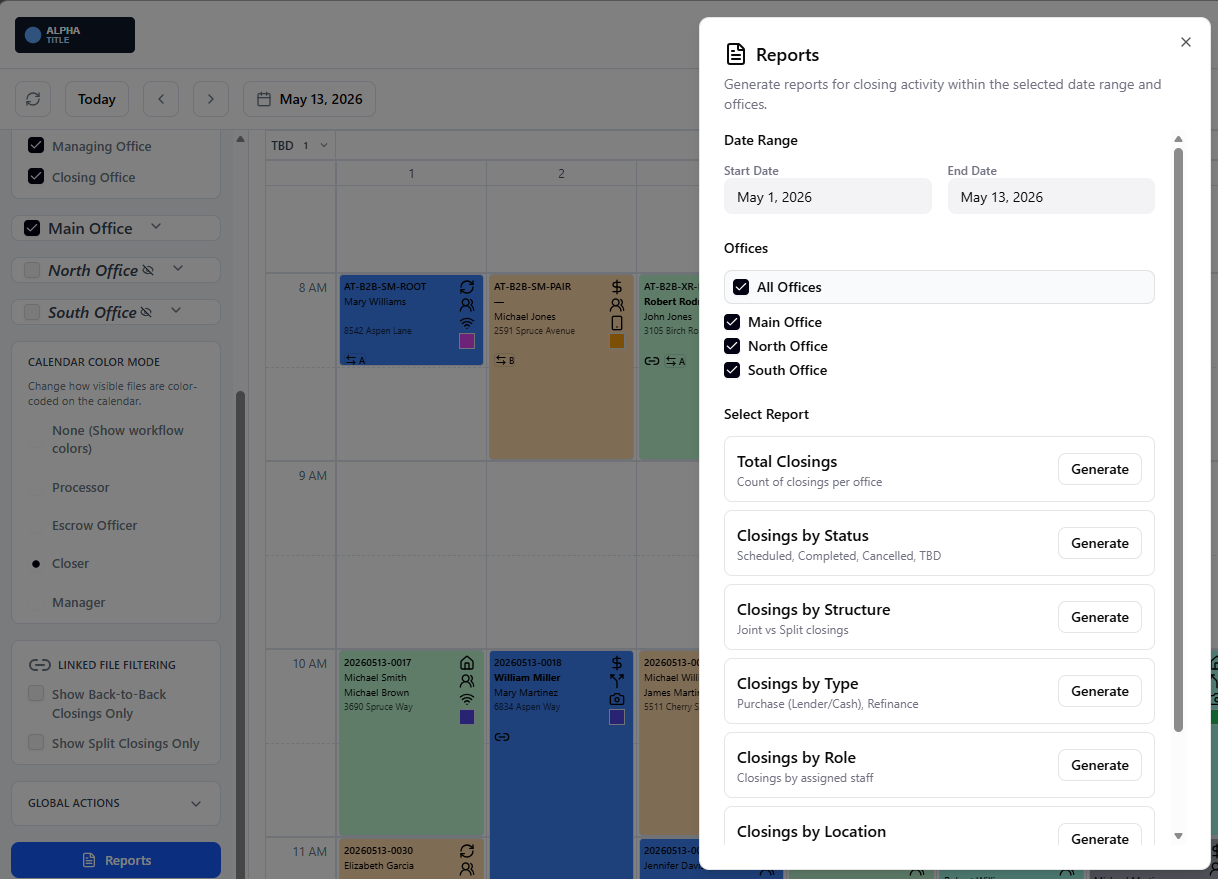
Reports dialog in ClosingTrak showing available report options

Launch reports without leaving your workflow

The reports dialog keeps key metrics close to daily execution so teams can verify performance and spot bottlenecks quickly.
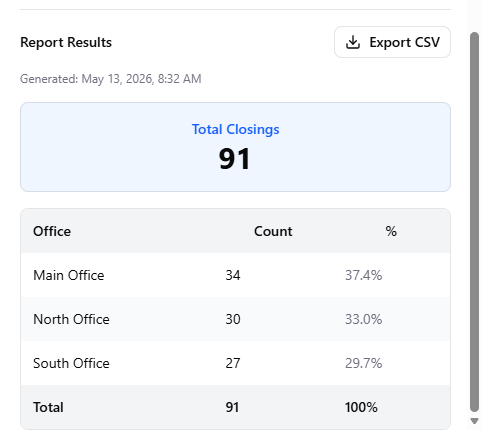
Total closings report in ClosingTrak

Track total closings with clear trend visibility

Teams can quickly review volume outcomes and use reporting data to guide staffing, scheduling, and operational planning.

How efficiency improves day to day

Faster visual prioritization

  • Role-based color views reduce scanning time across busy schedules
  • On-demand reporting gives teams faster insight into throughput and workload trends
  • Supports quicker triage during peak closing windows
  • Helps managers identify workload concentration earlier

Less operational back-and-forth

  • Shared visual context cuts down status-check messaging
  • Keeps teams aligned on file progress and next actions
  • Reduces scheduling overhead created by uncertainty

Scales with office volume

  • Supports high-volume operations with clearer daily execution signals
  • Improves handoff speed between roles during rapid schedule changes
  • Helps teams complete more closings with more predictable coordination