Feature Spotlight
Catch problems early
ClosingTrak™ helps teams surface risk before it becomes a day-of-closing fire drill. Workflow-state color coding and real-time visibility make exceptions easier to spot and resolve.
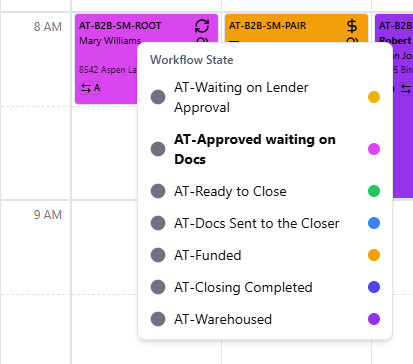
Color-coded workflow states make risk visible faster
Teams can quickly update and interpret event state using an office-defined visual language. Each office can customize states and colors to match its own workflow preferences, helping everyone identify where attention is needed.
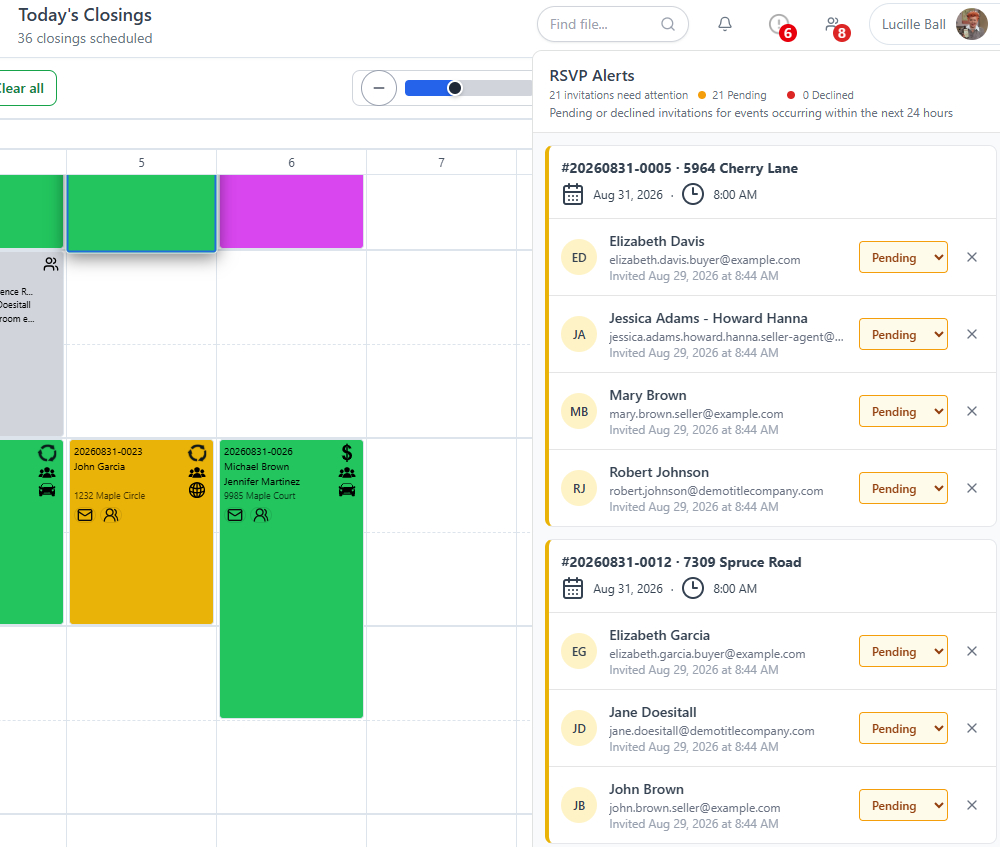
See time-sensitive exceptions before the appointment
Pending and declined invitations are grouped by closing, giving teams a focused view of the files that need follow-up within the next 24 hours.
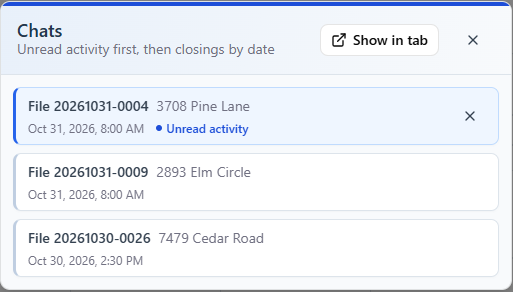
Spot conversations that need attention
Unread activity appears first in the chat list, with the file and closing date alongside each conversation so teams can quickly find what needs follow-up.
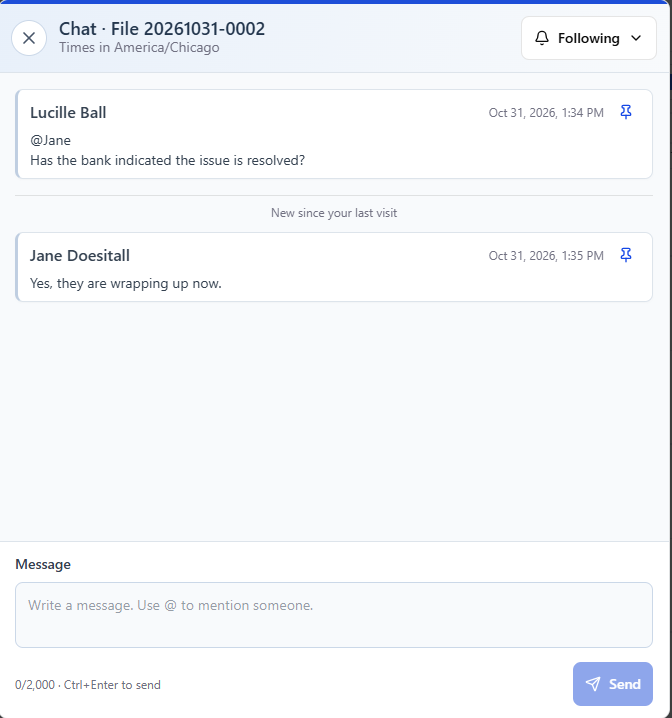
Resolve questions in the file's conversation
Keep questions and updates connected to the closing. Mention a teammate and see what is new since your last visit, with the conversation's file number always in view.
How teams prevent downstream issues
- Standardized state colors help teams interpret file progress quickly
- Visual cues reduce miscommunication during high-volume scheduling windows
- Supports faster triage when priorities shift throughout the day
- Helps staff detect exceptions before they impact parties and appointment slots
- Encourages proactive reassignment and schedule adjustments
- Reduces avoidable delays that can cascade across other files
- Creates a consistent understanding across closers, processors, and escrow teams
- Supports better escalation decisions when timelines become constrained
- Keeps everyone aligned on what needs action next